


Priv8Scout
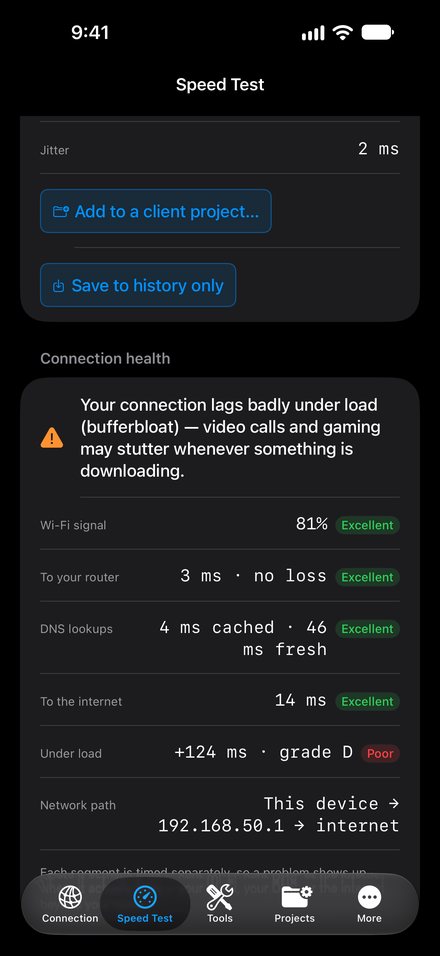
Is it the Wi-Fi or the internet? Scout tests each link in the chain and shows you where the slowdown is.
A Wi-Fi and network toolkit for iPhone, with Priv8Scout Workbench to map your coverage on a Mac. A readiness coach for your Apple Watch, and a private news reader. All by one developer.
Every app comes with a 14-day trial.
Simple on the surface, deep when you want it. And none of them has a server behind it.
Is it the Wi-Fi or the internet? Scout tests each link in the chain and shows you where the slowdown is.
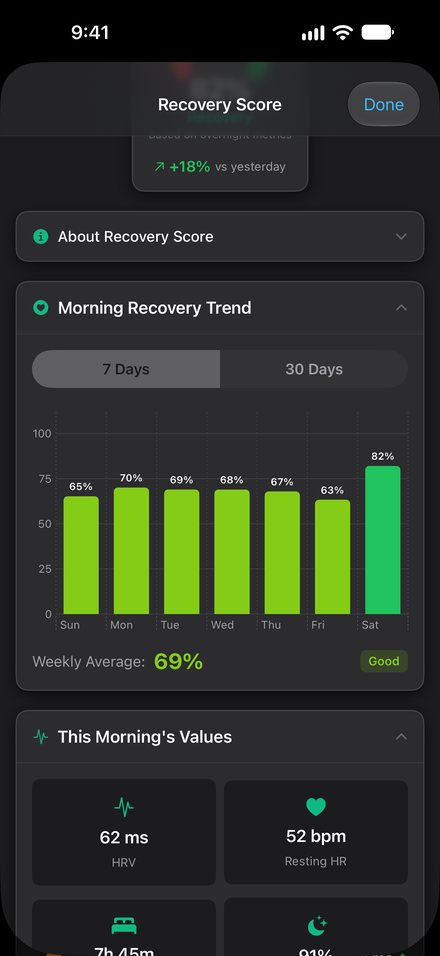
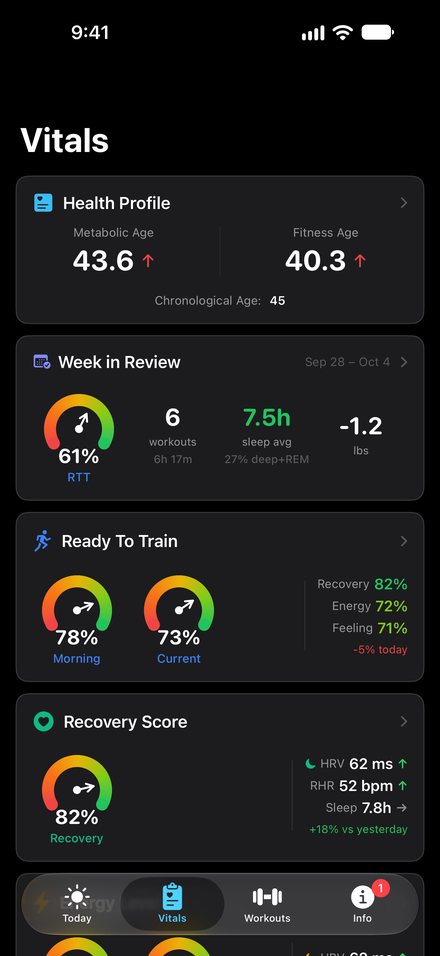
Your watch already knows. Vitals tells you: a morning readiness score and a plain-English plan for the day.
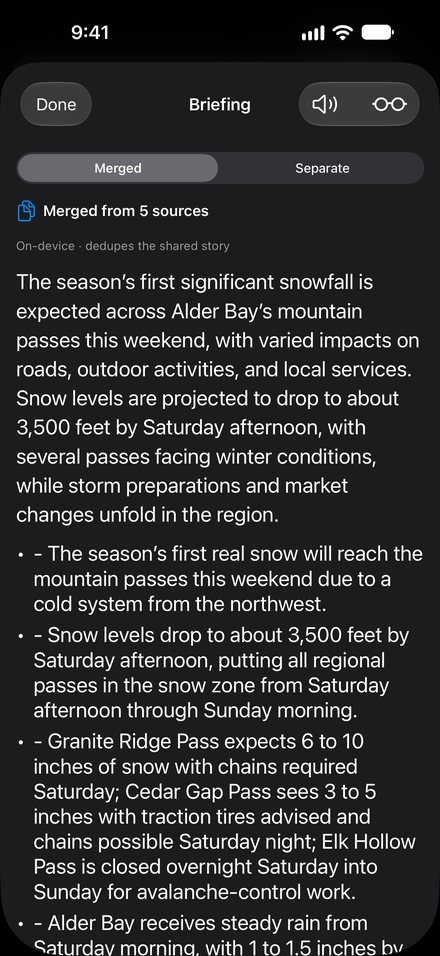
Five articles. One story. Merged coverage and summaries that run on your device.
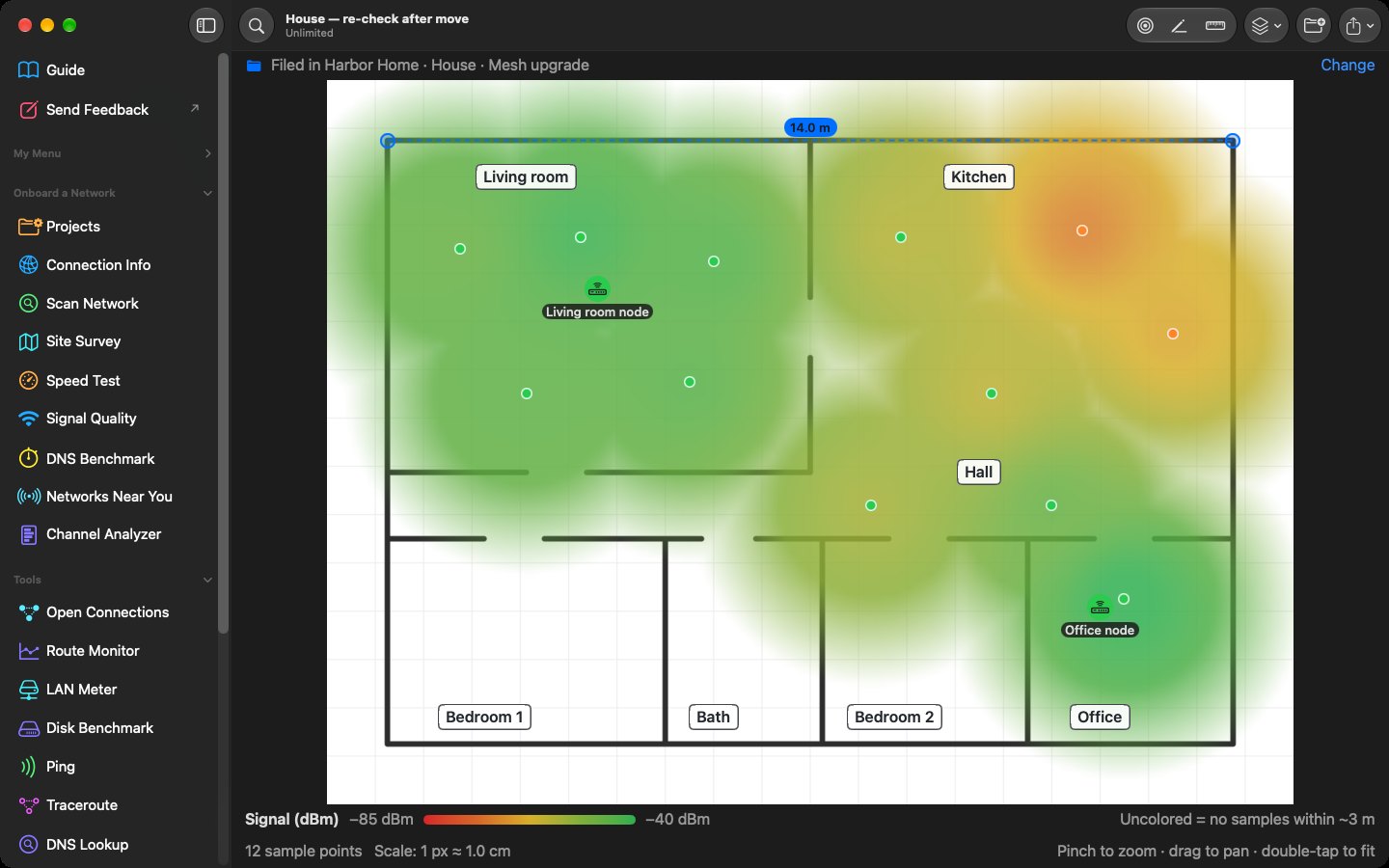
Priv8Scout Workbench reads true Wi-Fi signal strength and paints a coverage heat map over your floor plan. From your living room to a client’s office.
14-day trial with every tool. Requires macOS 26 or later.
Walk the floor with your Mac and see exactly where coverage drops, before you buy another access point.
LAN Meter tests real file speed to a network share. Disk Benchmark checks whether that new SSD delivers what you paid for.
Workbench drafts a report from what it measured. Export it as Markdown and finish it your way.
Floor plans and scan results stay on your Mac and in your own iCloud. No account, and no server of ours to hold them.
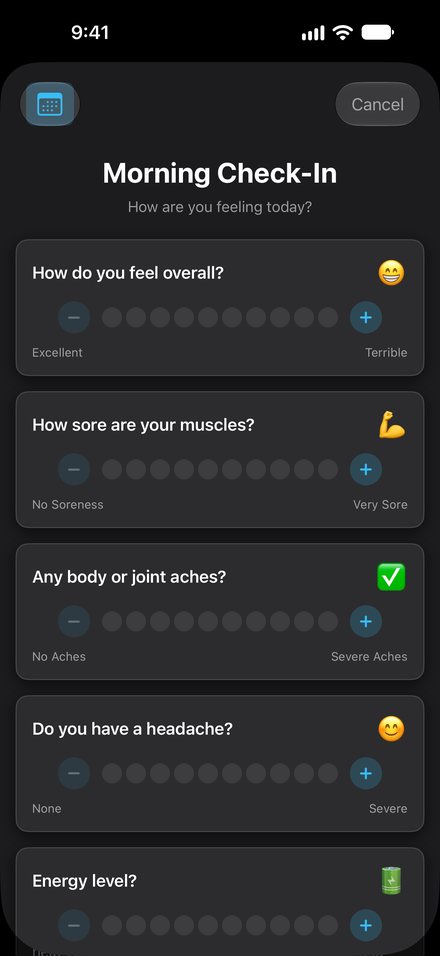
A quick morning check-in can bring your Ready to Train score down when you’re sore or run down. It never pushes it up.
Priv8Vitals is a wellness app, not a medical device.
Quick, key points or a deep dive, so you can decide whether the full article is worth your time. The summary is written on your iPhone, not in someone’s cloud.
Needs an Apple Intelligence device: iPhone 15 Pro or later.
Most privacy pages describe what a company promises to do with your data. This one describes what we’re capable of doing.
Every App Store listing has a privacy label, and most people scroll right past it. Here’s where to find it and what each heading means, for any app, not just ours.
Every app on the App Store has a privacy label. Most people scroll right past it. Here is how to check any app in ten seconds. Step one: open the app’s page. Step two: scroll down past the reviews to the App Privacy section. And step three: carefully read the four main headings.
The first heading is Data Used to Track You: information shared with other companies for advertising. Next is Data Linked to You: details tied directly to your identity, like your email. Then Data Not Linked to You: information collected but kept anonymous. And finally, the heading you want to see: Data Not Collected. The developer states the app collects no data from you at all.
To be fair, developers fill in these labels themselves, and collecting data isn’t automatically bad if an app needs an account to work. Every app Priv8Apps has shipped carries the App Store’s Data Not Collected label. There are no servers. Check the label before you download. It takes ten seconds.

One developer, Ray, an IT security professional. The same person writes the code, reads the support email and decides what gets built next.
Read how it startedOne score if that’s all you want. Every chart, setting and export if you want more.
Where Apple’s platforms don’t allow something, the app tells you instead of faking a number.
A one-time option for personal use in every app. No subscription on Scout for iPhone, ever.
No account to create. Pick an app and see if it earns a spot on your phone.